
Amazon Seller Central GTIN Exemption: Step-by-Step Guide
You’ve got the product, the packaging, and the photos ready. Then Seller Central asks for a product ID you don’t have, and you’re left deciding whether to buy a barcode or request an exemption. The wrong choice can leave you fixing a catalog problem when you should be preparing inventory.
An Amazon Seller Central GTIN exemption involves separate decisions: whether the product qualifies, whether a new ASIN can legitimately be created, and which barcode belongs on inventory sent to FBA. Approval answers the listing question, not every fulfillment question.
This article is for informational purposes and is not to be construed as legal advice. Reviewing it does not create an attorney-client relationship, and none of the information in it is legal advice.
Which Products Qualify for a GTIN Exemption
A GTIN exemption lets Amazon accept a listing for a product that legitimately has no recognized product identifier. It doesn’t create a barcode, remove catalog requirements, or let a seller disregard an identifier already assigned to the product.
Amazon identifies private-label, handmade, self-manufactured, certain parts, bundles, and generic products as possible candidates in its GTIN-exemption eligibility guidance, which permits up to 10 brand/category combinations in a request and requires separate approval for each store and category.
Product situations and whether an exemption applies
| Product situation | Exemption possible | Reason |
|---|---|---|
| Private-label product with no barcode | Yes | Amazon lists private-label products as eligible |
| Handmade or self-manufactured item | Yes | Named eligible category |
| Generic or unbranded product | Yes | Brand is entered as Generic |
| Bundle of eligible components | Yes | Components and the assembled bundle need evidence |
| Product with a GS1-approved barcode | No | Use the existing barcode as the product ID |
| Product with an existing UPC, EAN or ISBN | No | An existing identifier blocks the exemption |
| Brand that requires a mandatory UPC | No | The brand rule requires a barcode |
| Product already in the Amazon catalog | No | Match the existing ASIN instead |
A “Yes” means the product situation can qualify, not that Amazon must approve the application. A handmade ceramic mug might fit the exemption path, while a retail mug carrying an existing UPC doesn’t become eligible because you didn’t manufacture it.
Run the eligibility check before preparing evidence
Inspect the item and box, search the product name in Seller Central, and check whether Amazon requires a UPC for the brand. If you uncover an existing identifier, use that identifier rather than trying to photograph around it.
Next Point Digital’s guide can help you prepare documents for Amazon barcode exemptions before opening the application. Keep exemption eligibility separate from permission to sell: review the relevant restricted Amazon products considerations rather than treating missing-barcode approval as product approval.
Practical rule: Apply because the product has no identifier, not because you’d prefer not to use the identifier it already has.
Check the Catalog Before You Request an Exemption
Catalog identity is often the harder decision. A product can look eligible for an exemption and still be unsuitable for a new listing because Amazon already has the same item.
Start with the exact product name, the brand as printed, and any UPC or EAN shown on the supplier’s documentation. Open plausible results and compare the actual product, package quantity, material, and configuration. Don’t stop at a similar photograph or assume that a different title means a different product.
Amazon’s catalog and exemption guidance requires sellers to establish that the product isn’t already in the catalog and calls for bundle evidence showing the individual components and assembled set. It also excludes books incorrectly submitted with Generic as publisher or manufacturer.
Distinguish a new product from a new offer
Say you sell a silicone baking mat that already has a matching ASIN. Your own photography, a different selling price, or a rewritten description doesn’t make it a new product. Match the existing catalog identity rather than creating a competing version of the same detail page.
A changed package quantity, flavor, or material can justify investigating a distinct catalog entry. It doesn’t automatically establish entitlement to a new ASIN or exemption. Document the physical difference a shopper would receive, then confirm the appropriate product and variation rules.
Bundles deserve particular care. A commercially distinct baking set may contain items already sold separately, so photograph the components individually and the complete set as the buyer receives it. Don’t use the exemption process to disguise a duplicate offer.
For an operational perspective on keeping these records consistent, Headline Marketing Agency explains how to manage identifiers for healthier Amazon listings.
Choose the path supported by the product:
- Exact catalog match: Use the existing ASIN.
- Materially different product: Document the differences and assess the correct new-product or variation path.
- Existing identifier discovered: Verify and use the assigned barcode instead of seeking an exemption.
- Uncertain identity: Resolve the supplier information or catalog discrepancy before submitting.
Copy the brand from the physical item, not from memory. A supplier’s abbreviated brand name isn’t a reliable substitute for what Amazon’s reviewer can see on the packaging.
How to Submit the GTIN Exemption Request
Prepare the application around the product you’ll list. Category, brand, and proof should describe the same item throughout, rather than changing as you move between screens.
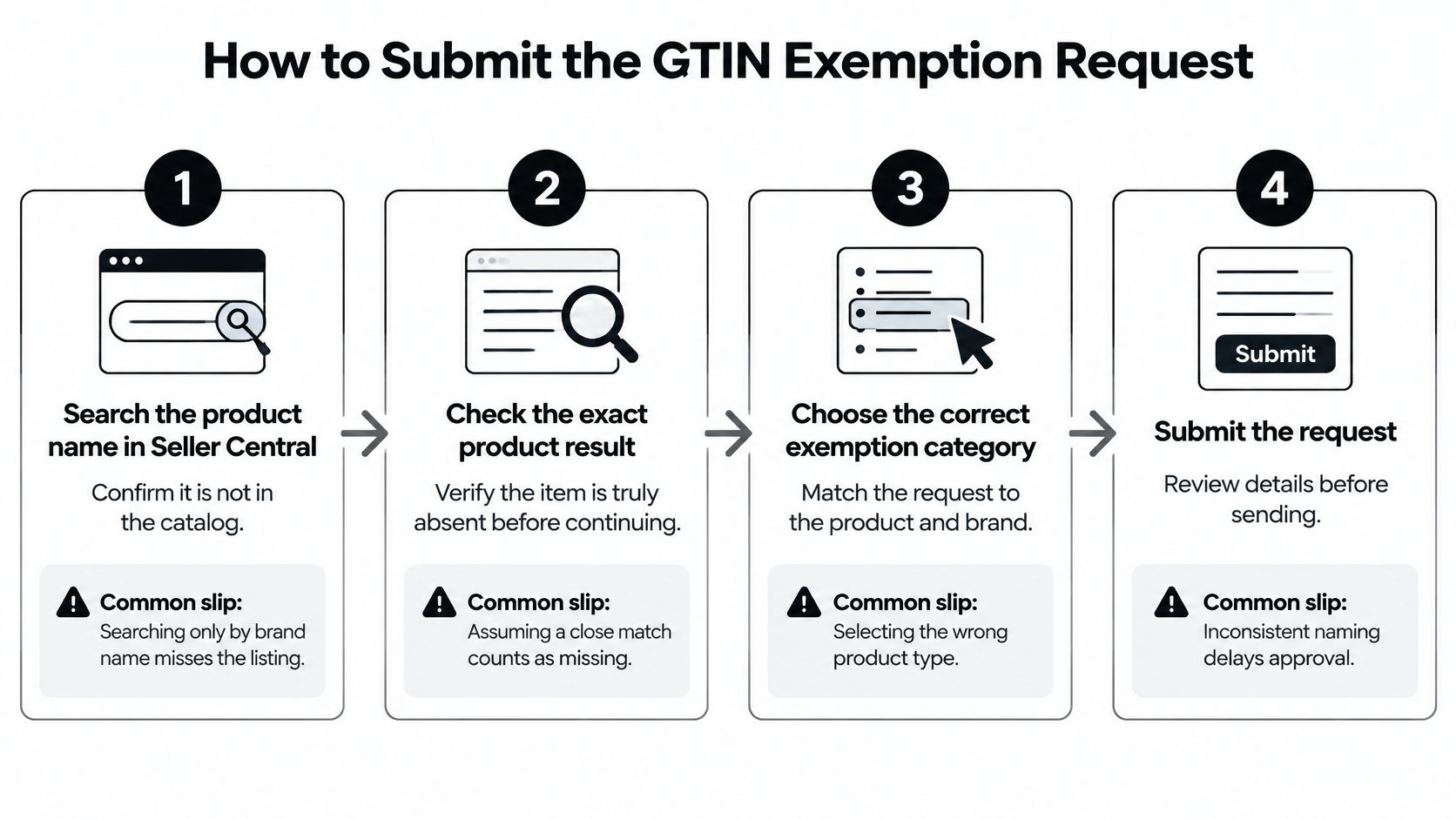
The following visual summarizes the application flow.
Complete the Seller Central workflow
-
Search the product name in Seller Central. Review exact and plausible matches before starting a new listing. Searching only the brand can miss the product you need to join.
-
Choose “Create a new listing.” Use this path only after confirming that you need a new catalog entry. Don’t treat it as a shortcut around an inconvenient existing ASIN.
-
Select the correct product type and category. Choose based on what the item is, not which category seems easiest to approve. An exemption associated with the wrong category won’t resolve the intended listing.
-
Enter the brand exactly as printed. Check spelling, capitalization, spacing, and punctuation against the product or packaging. Don’t replace the physical brand with your seller account name unless they genuinely match.
-
Select “I don’t have a product ID.” Continue to the exemption prompt when it appears. This is a statement about the product’s identification, not an option for postponing barcode research.
-
Enter the product name and upload the evidence. Use actual product and packaging photographs that let the reviewer inspect the item. Check that the visible branding agrees with your application.
-
Submit and wait for the approval-status email. Save the confirmation and monitor Seller Central notifications. Don’t assume submission itself authorizes you to finish the listing without a product ID.
Brand value to enter by product type
| Product type | Brand value to enter | Mistake to avoid |
|---|---|---|
| Branded product | Exact brand as printed on packaging | Any spelling or capitalization difference from the physical product |
| Generic or unbranded product | Generic with capital G | Lowercase generic or variations such as Generic Brand |
| Generic bundle | Generic when no brand is printed | Mixing a brand name with a generic bundle |
| Book | Publisher or author name as printed | Submitting Generic as publisher or manufacturer |
Review the request as a complete record
Amazon’s product-identification application guidance specifies two to nine real-world images and requires the submitted brand to match the physical product. Before submitting, check eligibility, keep the image count within that range, and make the category and brand values match the eventual listing exactly.
Use Generic only when the item is generic or unbranded. It isn’t a fallback for a branded product whose name Amazon hasn’t accepted.
Amazon doesn’t publish a general approval-rate benchmark in these application materials. Claims that a particular photo trick guarantees approval aren’t a sound basis for preparing your request. Clear evidence and consistent product information are the controls you can manage.
Photos and Proof to Prepare Before You Apply
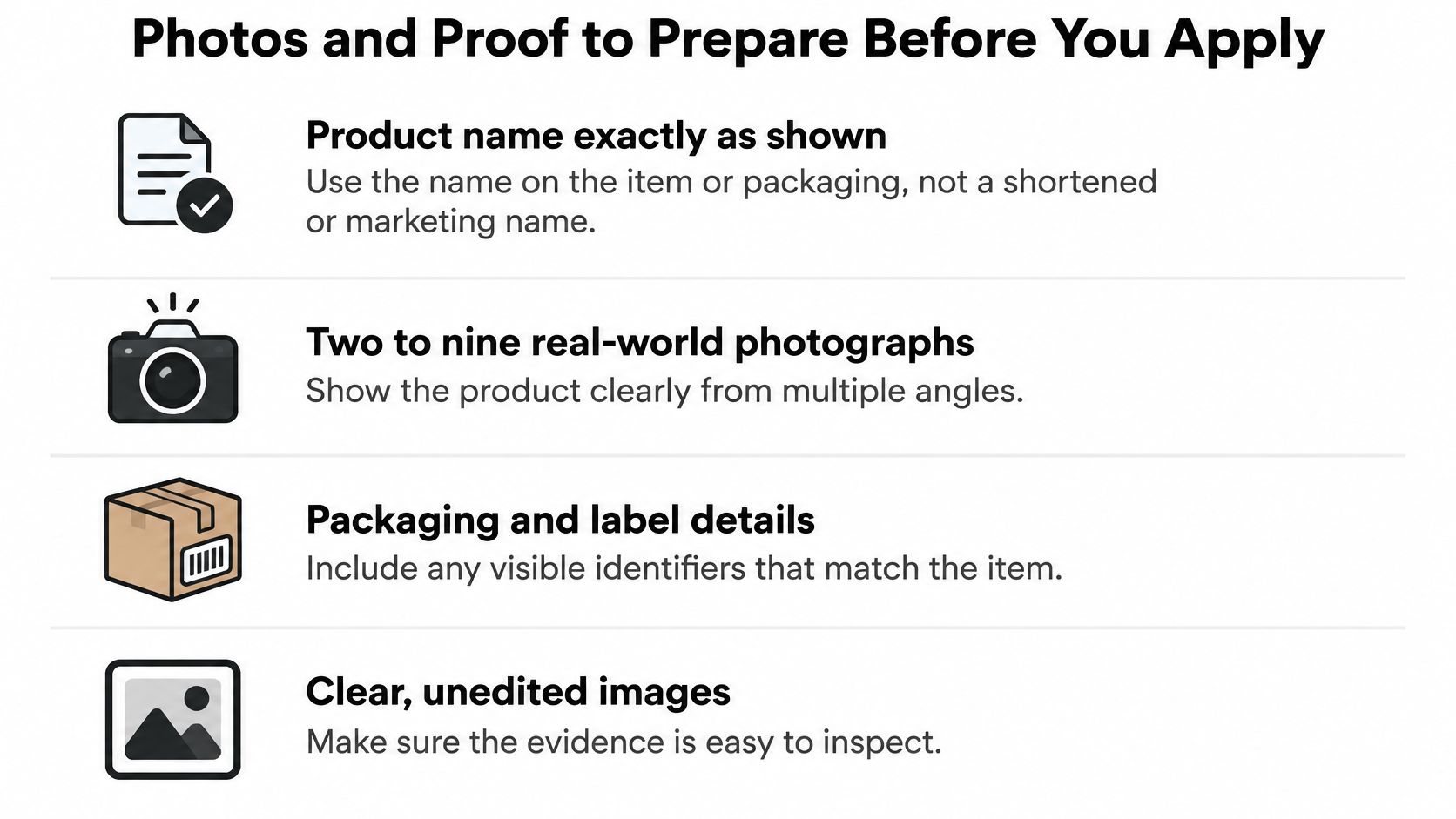
Put the actual product and its packaging on a table before preparing the upload. Start with the name shown on the item or packaging, not an abbreviated warehouse description or a promotional title.
Amazon’s exemption proof requirements call for two to nine real-world photographs showing all sides of the product and packaging, and state that an approval-status email will arrive within 48 hours. That is a status notification, not a promise that every request will be approved.
Use this preparation checklist while the item is in front of you.
Photograph for inspection rather than advertising
- Product coverage: Capture the front, back, sides, top, and bottom so no surface is left unexplained.
- Packaging coverage: Include the box, closure, labels, and any surfaces that might carry identification.
- Readable details: Use even lighting, avoid glare, and make label text legible.
- Barcode inspection: Check the bottom, small labels, and inside flaps before you shoot. Don’t conceal an identifier to make the product appear eligible.
- Logical file order: Arrange the photos so a reviewer can follow the item and packaging without guessing which image belongs to which surface.
Evidence to prepare and the mistake to avoid
| Evidence item | What it must show | Mistake to avoid |
|---|---|---|
| Product name | Name as it appears on the product | Using a shortened or marketing name |
| Product photos | Real photographs covering all sides within the application’s image limit | Renderings, stock images, or a single front view |
| Packaging photos | Packaging shown with the product | Photographing the product without its box |
| Barcode check | No GS1-approved barcode anywhere on the item | Missing a small barcode on the bottom or inside flap |
| Supplier invoices | Kept for your own records | Assuming they are part of the cited application requirements |
The cited application materials identify the product name and photographs as proof; they don’t list invoices as part of that evidence package. Keep invoices and manufacturing records in your own files, but don’t substitute them for the requested photographs.
Product compliance is a different task. Maintain applicable Amazon product safety documentation separately so a successful exemption request doesn’t leave you unprepared for another documentation request.
What Changes for FBA Once You Are Approved
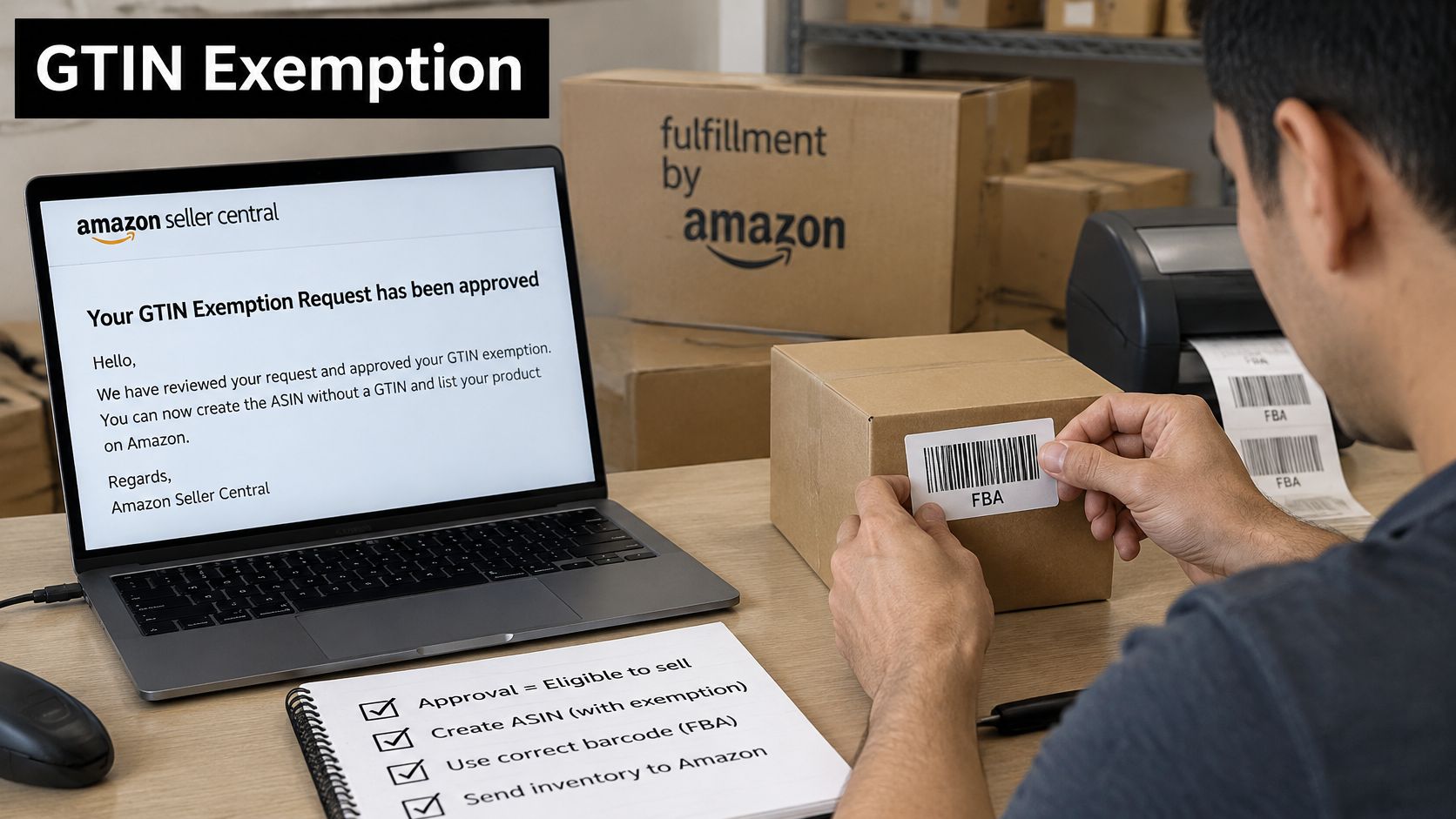
Exempt doesn’t mean barcode-free. Under Amazon’s FBA barcode guidance, products with a GTIN exemption must use Amazon barcode stickers; a valid GTIN is necessary before a product can stop using those stickers.
The physical labeling work remains after the listing approval.
Separate listing approval from shipment preparation
Treat qualification, ASIN creation, and fulfillment identification as independent checks. Amazon may accept your unbarcoded handmade item into the catalog while still requiring an Amazon barcode on each unit entering FBA.
For the initial shipment of exempt inventory, prepare Amazon barcode labels and apply them to the saleable units. Don’t confuse a shipping-carton label with the barcode used to identify an individual product.
Barcode to apply on FBA units by scenario
| Scenario | Barcode on each unit | Action before shipping |
|---|---|---|
| Exempt listing with no manufacturer barcode | Amazon barcode sticker | Apply Amazon barcode labels to every unit |
| Product later gets a valid GTIN | Manufacturer GTIN may replace the sticker | Confirm the GTIN is valid and the product is eligible before stopping sticker use |
| Product already has a GS1 barcode | Existing GS1 barcode, subject to FBA barcode eligibility | Use the barcode as the product ID and skip the exemption |
| Seller-fulfilled (non-FBA) orders | No FBA barcode requirement arises solely from the exemption | Confirm labeling rules for non-FBA shipments before dispatch |
Buying a UPC after approval doesn’t automatically update the catalog or change the barcode method for inventory you’ve already prepared. Confirm that the identifier belongs to the product and that Seller Central supports the intended fulfillment setup before removing Amazon labels.
A valid product identifier and permission to use manufacturer-barcode fulfillment aren’t interchangeable decisions.
Check the labeling requirements before handing stock to your warehouse or carrier. Discovering the mismatch at FBA receiving leaves you trying to correct inventory that’s no longer on your packing table.
For an additional walkthrough of the barcode workflow, use the video below alongside the current requirements shown in your account.
Fix Rejections and Write an Appeal That Works
Read the rejection against the application you submitted. Don’t immediately upload the same evidence again or change several unrelated fields without recording what you changed.
A rejection is a reason to compare the catalog, physical item, and submitted values.
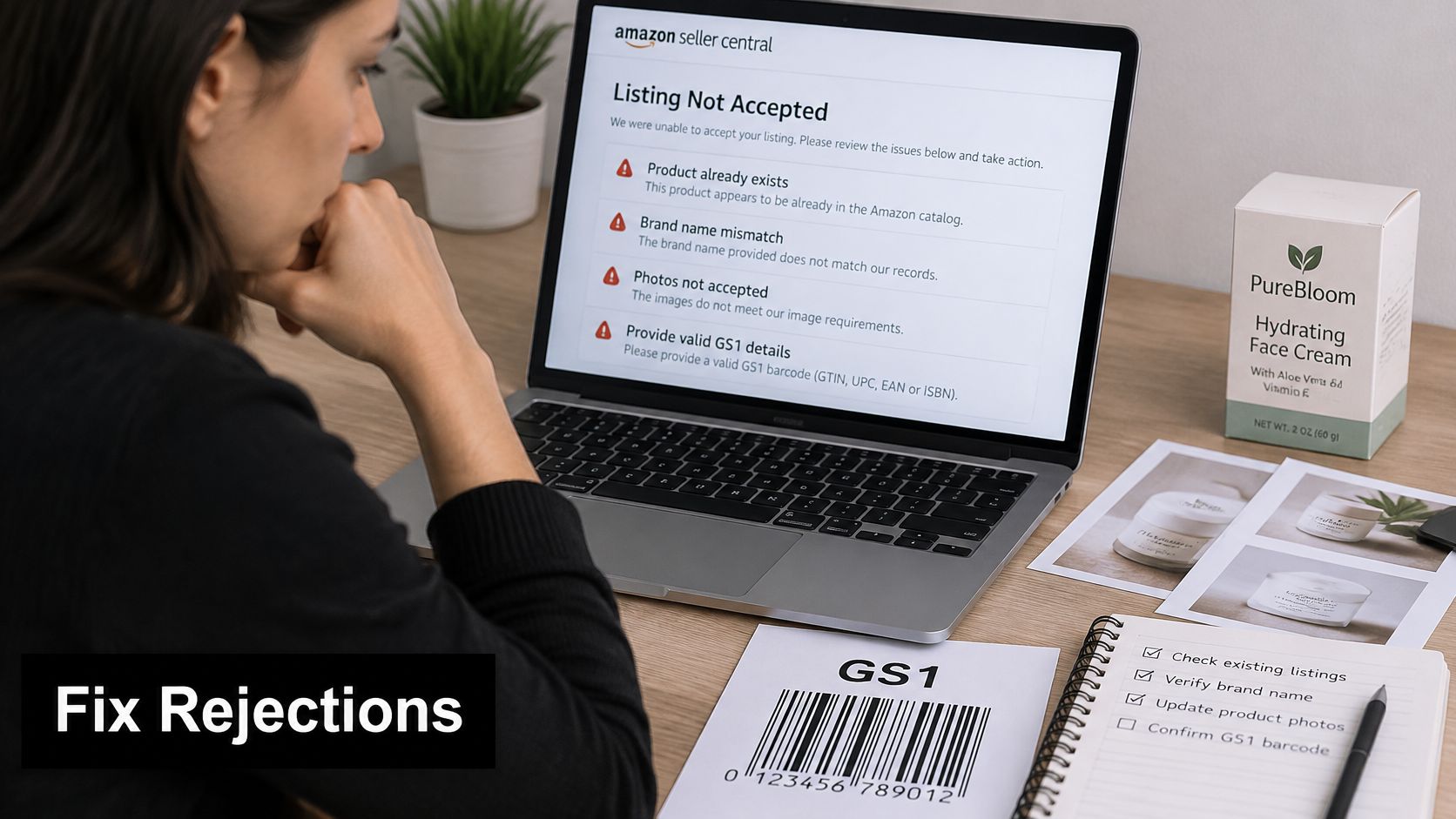
Rejection symptoms, causes and fixes
| Symptom | Likely cause | Fix |
|---|---|---|
| Request rejected because the product exists | Matching ASIN already in catalog | Search, use the existing ASIN, and stop the exemption request |
| Brand mismatch | Brand text differs from the packaging | Re-enter the exact brand as printed |
| Photos not accepted | Image count outside the permitted range, or renderings | Upload real photos of all sides within the application’s stated limit |
| Rejected because a barcode is visible | A GS1-approved barcode is on the item | Use the barcode as product ID and drop the exemption |
| No status email after the stated response window | Request may be incomplete or still processing | Check Seller Central notifications and resubmit only if the request wasn’t completed |
Correct the defect before asking for another review
A missing email doesn’t establish rejection. Check the application status, notifications, and your email folders before opening another request. If the submission is pending, keep the existing record rather than creating overlapping applications.
For a brand error, correct the submitted text rather than digitally altering a photograph. For missing coverage, retake the necessary views with the actual packaging present. If the reviewer identified an existing product correctly, an appeal isn’t a way to obtain a duplicate ASIN.
When the reason still doesn’t fit the evidence, use a short review request:
- Identify the item: Give the product name and selected category.
- Explain the missing identifier: State why the product has no product ID, using facts you can support.
- Describe the attachments: List the photographs and their total count.
- Address catalog identity: Explain any material difference from a suggested match, such as package count or material.
- Request a specific action: Ask Amazon to review the attached evidence for exemption eligibility.
Keep the wording factual. “The attached packaging photographs show the submitted brand” is more useful than accusing the reviewer of ignoring your application.
Save the original request, submitted images, rejection, correction, and subsequent response in the same folder. Use dated filenames so another person can understand the sequence without reconstructing it from scattered messages.
Appeal discipline: Ask for review of a specific factual issue, not an exception to a rule the product doesn’t satisfy.
When the dispute extends beyond listing eligibility, our eCommerce and Amazon law practice covers account reinstatements and appeals, chargebacks and disputes, brand protection, and intellectual-property violations for online sellers. A routine photo correction, however, doesn’t need to become a legal argument.
When to Get Professional Help
An ordinary exemption problem is an operational task: verify the catalog identity, reconcile the brand, and submit inspectable evidence. Start there rather than escalating every rejected application to counsel.
The decision changes when Amazon suspends the account, withholds inventory or funds, or raises a chargeback dispute or intellectual-property complaint. Those issues can involve obligations and response deadlines beyond the exemption form. Don’t assume a corrected listing application resolves the wider account problem.
Gather the account record before escalating
- Application record: Preserve the request confirmation and the exact evidence submitted.
- Amazon communications: Collect notices, case messages, and their dates.
- Product records: Keep supplier invoices, manufacturing records, and relevant packaging photographs.
- Account impact: Identify whether the issue affects a listing, selling privileges, inventory, or disbursements.
For online sellers, we help address Amazon matters before and after a suspension or complaint. Reviewing the role of an Amazon sellers lawyer can help you distinguish an account-level dispute from a correctable application error.
This article is for informational purposes and is not to be construed as legal advice. No attorney-client relationship exists based on reviewing this article, and none of its information is legal advice. Escalate to counsel when a suspension, withheld funds or inventory, chargeback, or IP complaint is involved, rather than for a routine exemption correction alone.
LA Law Group, APLC helps online sellers address Amazon account appeals, disputes, brand protection, and intellectual-property issues. If your GTIN exemption problem is tied to a suspension, withheld funds or inventory, chargeback, or IP complaint, visit LA Law Group, APLC to discuss the notices you’ve received and the records needed to assess your next steps.
Attorney Advertising. This article is general information, not legal advice, and does not create an attorney-client relationship. Prior results do not guarantee a similar outcome.